
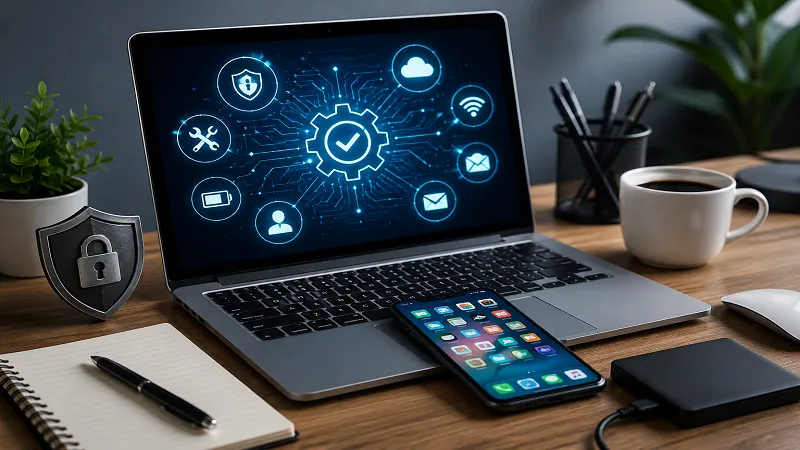
Technology has become an essential part of our daily lives. From smartphones that help us communicate instantly to computers that support work, education, entertainment, and business, digital devices make many tasks easier. However, using technology effectively requires more than simply owning the latest device. Knowing how to protect your information, improve performance, manage storage, and use useful features can make a significant difference.
This guide shares Essential Technology Tips for Smartphones and Computers that can help everyday users get more value from their devices. Whether you use technology for work, study, communication, or entertainment, these practical tips can help you stay productive, secure, and organized.
1. Keep Your Smartphone and Computer Software Updated
One of the simplest ways to improve the security and performance of your devices is to install software updates regularly. Regular operating system updates typically provide security improvements, fix existing issues, and introduce useful new features.
Many people postpone updates because they do not want to interrupt their work. However, outdated software can leave a device vulnerable to security problems and compatibility issues. Setting your smartphone and computer to download important updates automatically can save time and provide better protection.
Before installing a major update, it is also a good idea to back up important files. This ensures that your valuable photos, documents, and other information remain protected if something unexpected happens during the update process.
2. Use Strong and Unique Passwords for Important Accounts
Passwords protect many parts of our digital lives, including email accounts, social media profiles, banking services, and online shopping accounts. Using a weak or repeated password can put multiple accounts at risk.
Create passwords that are long and difficult to guess. A combination of different words, numbers, and symbols can provide stronger protection. More importantly, avoid using the same password for every account. If one password becomes compromised, unique passwords can help protect your other accounts.
A trusted password manager can also make password management easier by helping you create and store strong passwords securely.
3. Enable Two-Factor Authentication Whenever Possible
Two-factor authentication (2FA) provides an extra layer of security to help protect your online accounts. After entering your password, you may need to confirm your identity through an authentication app, security key, or another verification method.
This means that a password alone may not be enough for someone else to access your account. Enabling 2FA is especially important for your primary email account because email access can often be used to reset passwords for other services.
Among the most valuable Essential Technology Tips for Smartphones and Computers is taking account security seriously. A few minutes spent improving security can help prevent serious problems later.
4. Back Up Important Files and Photos Regularly
Losing a smartphone or experiencing a computer failure can result in the loss of valuable information. Family photos, work documents, school projects, and personal files may be difficult or impossible to replace.
A good backup strategy involves keeping copies of important information in more than one location. For example, you might store files on your computer while also keeping a secure backup on an external drive or a reputable cloud storage service.
Try to make backups a regular habit instead of waiting until your device develops a problem. Automatic backup options can make this process easier and reduce the chance of forgetting.
5. Keep Your Devices Organized and Free Up Storage Space
Over time, smartphones and computers collect unnecessary files, unused applications, duplicate photos, and temporary data. When storage becomes too full, devices may become slower and more difficult to manage.
Review your installed apps and programs occasionally and remove the ones you no longer use. Organize important documents into clearly named folders, and delete files that are no longer needed.
On smartphones, review large videos, downloaded files, and unused applications. On computers, check your downloads folder and desktop regularly. A clean and organized device can make it easier to find what you need and may help maintain smooth performance.
6. Be Careful When Downloading Apps and Software
Not every application or download available online is trustworthy. Some software may contain unwanted programs, misleading advertisements, or security risks.
Whenever possible, download mobile apps from official app stores and computer software from the developer’s official website or another trusted source. Before installing something unfamiliar, read basic information about the developer and consider whether the application genuinely needs the permissions it requests.
For example, a simple flashlight application may not need access to every part of your phone. Reviewing permissions can help you protect your privacy.
7. Learn Basic Ways to Improve Device Performance
You do not always need a new device when your current smartphone or computer starts feeling slow. A few simple maintenance habits can often improve performance.
Restart your device occasionally, close applications you are no longer using, and avoid running too many programs at the same time. Keeping enough free storage space can also help your device operate more smoothly.
For computers, review programs that automatically start when you turn on the system. Too many startup applications can increase boot time. On smartphones, updating apps and removing unused ones can reduce unnecessary resource use.
These small habits are part of the Essential Technology Tips for Smartphones and Computers that can extend the useful life of your devices.
8. Protect Your Privacy When Using Public Wi-Fi
Public Wi-Fi networks can be convenient, especially when traveling or working outside the home. However, public networks may not always provide the same level of privacy as your home internet connection.
Avoid entering highly sensitive information when you are connected to an unfamiliar network unless you understand and trust the security measures being used. Make sure websites use secure connections, and consider turning off automatic Wi-Fi connections when they are not needed.
You should also avoid leaving Bluetooth, file sharing, or other wireless features active unnecessarily. Turning off services you are not using can improve both privacy and battery life.
9. Take Care of Your Smartphone Battery
Battery health affects the everyday experience of using a smartphone. While batteries naturally lose capacity over time, good habits can help you use your device more efficiently.
Avoid exposing your phone to excessive heat, as high temperatures can negatively affect battery performance. Use reliable chargers and cables, and avoid charging accessories that appear damaged or unsafe.
You can also reduce unnecessary battery use by adjusting screen brightness, reviewing background activity, and disabling features that you do not need. Battery-saving modes can be useful when you need your phone to last longer during the day.
10. Protect Your Computer From Security Threats
Computer security is important for both personal and professional users. Basic protection starts with keeping your operating system and software updated.
Be cautious when opening unexpected email attachments or clicking unfamiliar links. Scammers may use messages that appear legitimate to convince people to provide passwords or download harmful files. Always take a moment to check whether a message is genuinely from the organization or person it claims to represent.
Use reputable security tools appropriate for your operating system, and keep them updated. Most importantly, develop safe browsing habits. Technology can provide useful protection, but careful decision-making remains essential.
11. Manage Notifications to Stay Focused
Smartphones and computers can improve productivity, but constant notifications can also create distractions. Messages, social media alerts, promotions, and application reminders can interrupt important work or study.
Review your notification settings and keep alerts enabled only for applications that truly require your immediate attention. You can also use focus or do-not-disturb features during work, study, or sleep.
Creating healthy boundaries with technology does not mean avoiding it completely. Instead, it means using your devices intentionally. This approach can help you remain productive while still enjoying the benefits of digital communication.
12. Learn Keyboard Shortcuts and Useful Features
Many people use only a small portion of the features available on their computers and smartphones. Learning a few shortcuts can save time every day.
Common computer shortcuts for copying, pasting, searching, and switching between applications can make everyday tasks faster. Smartphones also include useful features such as voice typing, screen recording, accessibility tools, digital wellbeing settings, and built-in search functions.
Spend a little time exploring the settings and features of your devices. You may discover tools that make work easier or solve problems you previously handled manually.
13. Clean Your Devices Safely and Take Care of the Hardware
Digital maintenance is not only about software. Physical care is equally important. Dust, dirt, moisture, and accidental damage can affect the lifespan of smartphones and computers.
Keep your devices in a clean environment and use appropriate protective accessories when necessary. Clean screens and keyboards carefully using materials designed for electronics. Avoid spraying liquids directly onto devices.
For laptops and desktop computers, ensure that ventilation areas are not blocked. Proper airflow helps prevent overheating, which can affect performance and hardware longevity.
14. Review Your Digital Accounts and Privacy Settings
Over time, you may create accounts for websites and services that you no longer use. Some of these accounts may still contain personal information.
Periodically review your online accounts, remove services you no longer need, and check privacy settings on the platforms you continue to use. Consider what information you are sharing publicly and whether application permissions are still necessary.
This is one of the often-overlooked Essential Technology Tips for Smartphones and Computers because privacy management is an ongoing process. As technology and online services change, your settings and preferences may need attention as well.
15. Use Technology Wisely and Continue Learning
Technology changes quickly, and nobody knows everything. The best approach is to remain curious and learn gradually. You do not need to understand every technical term to become a smarter technology user.
When you encounter a new feature, take time to understand what it does before enabling it. Read reliable guides, explore official help resources, and ask questions when something is unclear.
Small improvements in your knowledge can make a big difference over time. Learning how to secure your accounts, organize your files, and troubleshoot basic problems can give you greater confidence when using technology.
Conclusion
Smartphones and computers have the power to make life more convenient, productive, and connected. However, getting the best experience requires responsible use and regular maintenance. By keeping software updated, protecting your accounts, backing up important files, managing storage, and practicing safe online habits, you can reduce many common technology problems.
The Essential Technology Tips for Smartphones and Computers discussed in this guide are simple enough for everyday users but valuable enough to improve security, performance, and productivity. Start by choosing a few tips that are most relevant to your current devices and turn them into regular habits.
Technology works best when it supports your goals rather than creating unnecessary stress. With a little care, organization, and ongoing learning, your smartphone and computer can remain useful, secure, and reliable for years to come.